> For the complete documentation index, see [llms.txt](https://hinkal-team.gitbook.io/hinkal/llms.txt). Markdown versions of documentation pages are available by appending `.md` to page URLs; this page is available as [Markdown](https://hinkal-team.gitbook.io/hinkal/hinkal-prime/approving-payouts.md).
# Approving Payouts
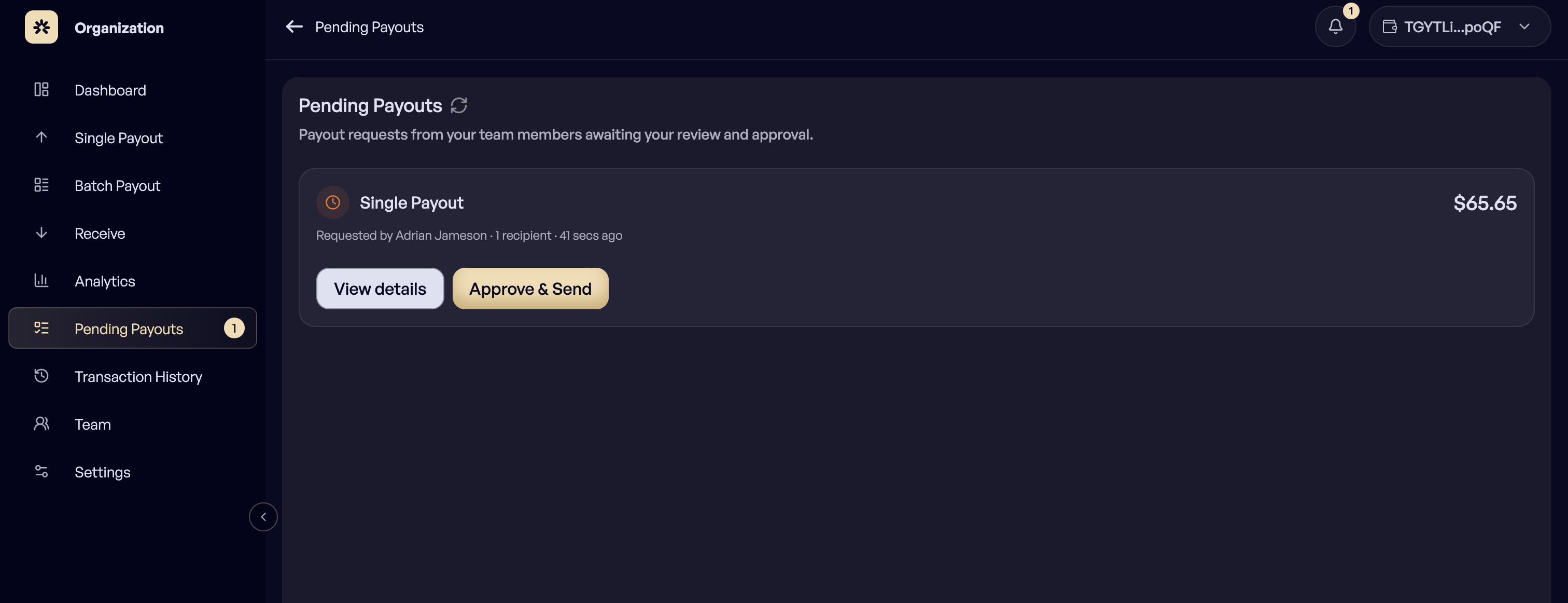
Pending Payouts is the approval queue. Every payout prepared by a Member lands here and waits for an Owner to sign it. This is what separates preparing a payment from authorizing one.
### The queue
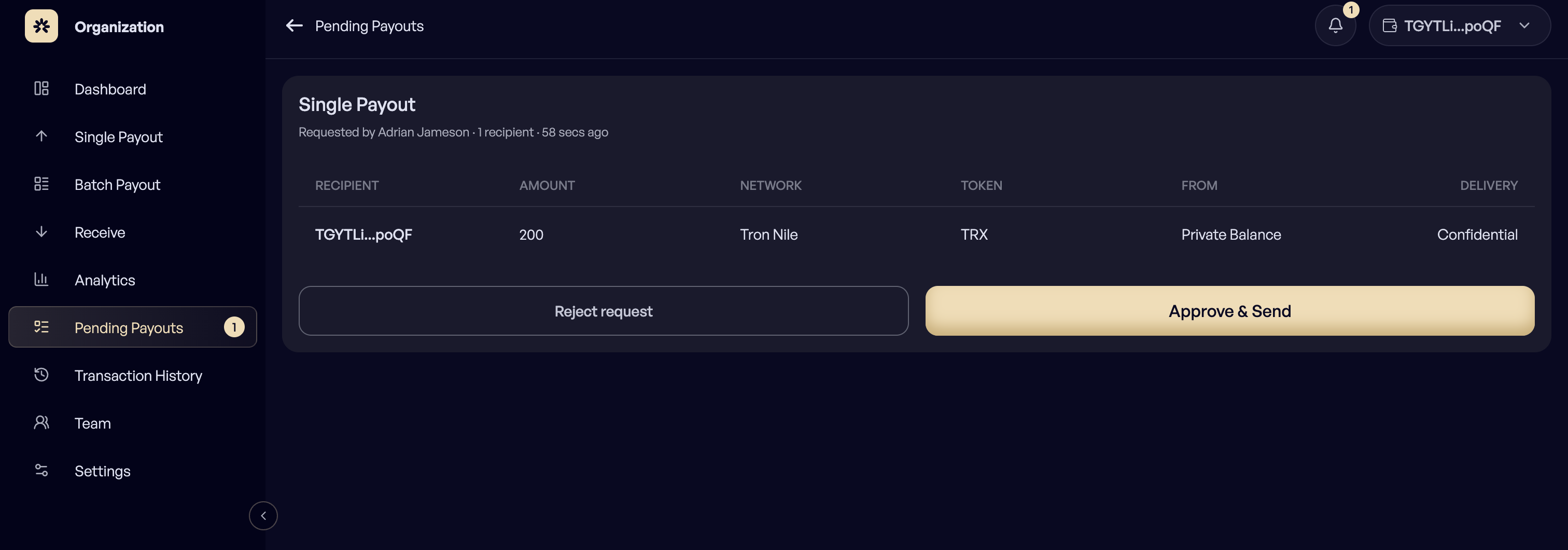
Each entry shows who it pays and how: recipient, amount, network, token, whether it is paid from the public balance or the private balance, and the delivery method.
A batch payout appears as a single entry containing all of its rows. Selecting it opens the full list plus the description the preparer left.
## How to approve a payout?
{% stepper %}
{% step %}
### Open Pending Payouts
{% endstep %}
{% step %}
### Select the payout and review its rows
{% endstep %}
{% step %}
### You can Approve or Reject
The payout opens in the Single Payout or Batch Payout form, already filled in.
{% endstep %}
{% step %}
### If approved, you can confirm and sign with the organization wallet
The Owner sees exactly what will be signed before signing it. Confirming sends the payment and marks the payout Completed.
{% endstep %}
{% endstepper %}
### Reject
An Owner can reject a payout instead. The member can then correct it and submit again.
***
### Statuses
* **Pending:** Waiting for an Owner to approve and sign.
* **Completed:** Approved, signed, and sent.
* **Rejected:** Turned down by an Owner.
***
### Notifications
Pending payouts are surfaced on the Dashboard and in the notifications bell in the header, with a badge for what is still waiting, so approvals do not sit unnoticed. The full list lives on the Notifications page.
***