> For the complete documentation index, see [llms.txt](https://hinkal-team.gitbook.io/hinkal/llms.txt). Markdown versions of documentation pages are available by appending `.md` to page URLs; this page is available as [Markdown](https://hinkal-team.gitbook.io/hinkal/hinkal-prime/batch-payouts.md).
# Batch Payouts
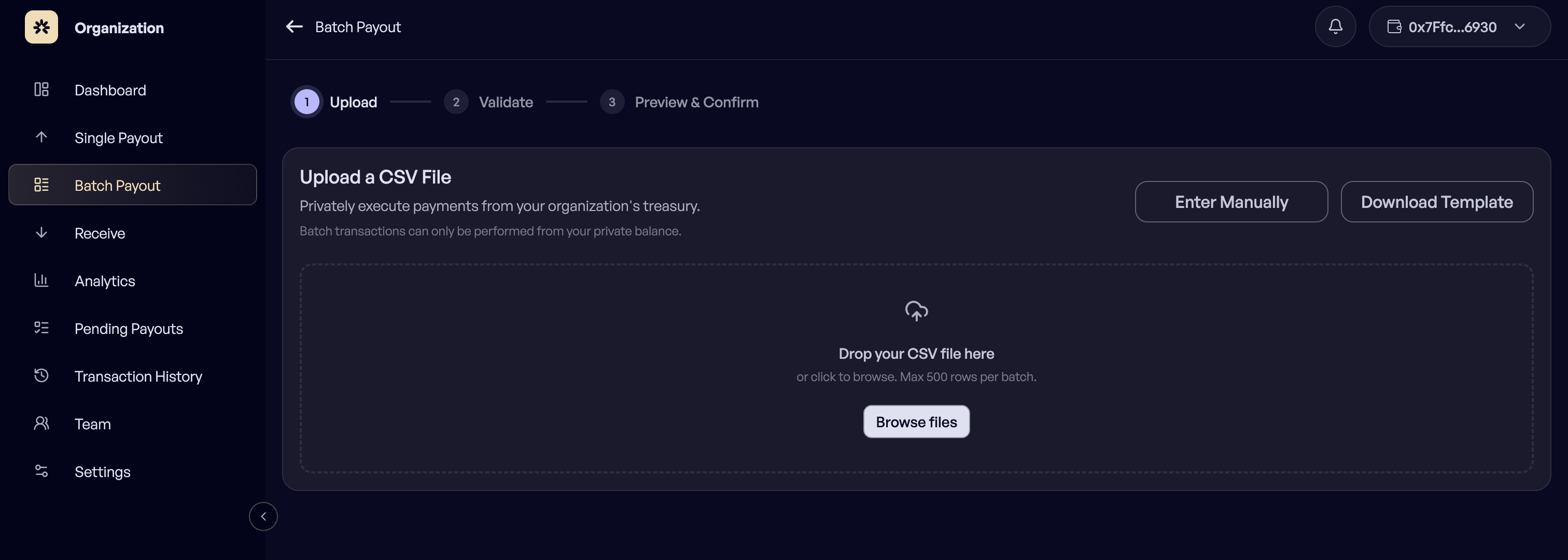
Batch Payout pays many recipients in one run, from a CSV file. Payroll, contractor cycles, and grant or affiliate distributions all go through this page.
### Prepare the file
Download the template from the upload screen, or build a CSV with these four columns:
```csv
recipient,amount,token,delivery
0x1234...5678,125,USDC,Confidential
ABCD...WXYZ,50,USDT,Direct
```
* `recipient` is the wallet address of the person being paid.
* `amount` is in token units, for example 125.
* `token` is the symbol, for example USDC.
* `delivery` is Confidential or Direct.
One recipient per row, up to 500 rows in a single batch.
## How to send a batch payout?
{% stepper %}
{% step %}
## Open Batch Payout
{% endstep %}
{% step %}
## Upload the CSV file
{% endstep %}
{% step %}
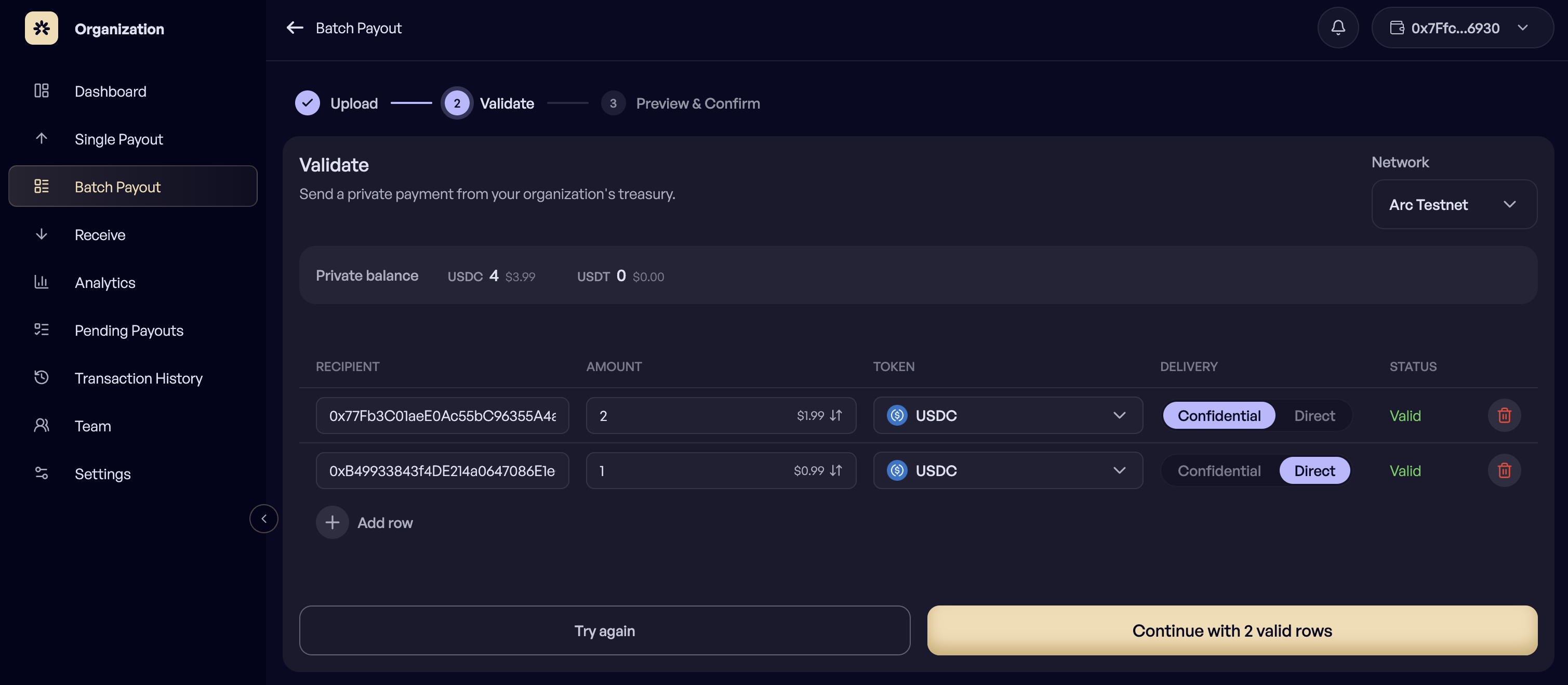
## Review the validation result row by row
{% endstep %}
{% step %}
## Fix and re-upload if any row failed
{% endstep %}
{% step %}
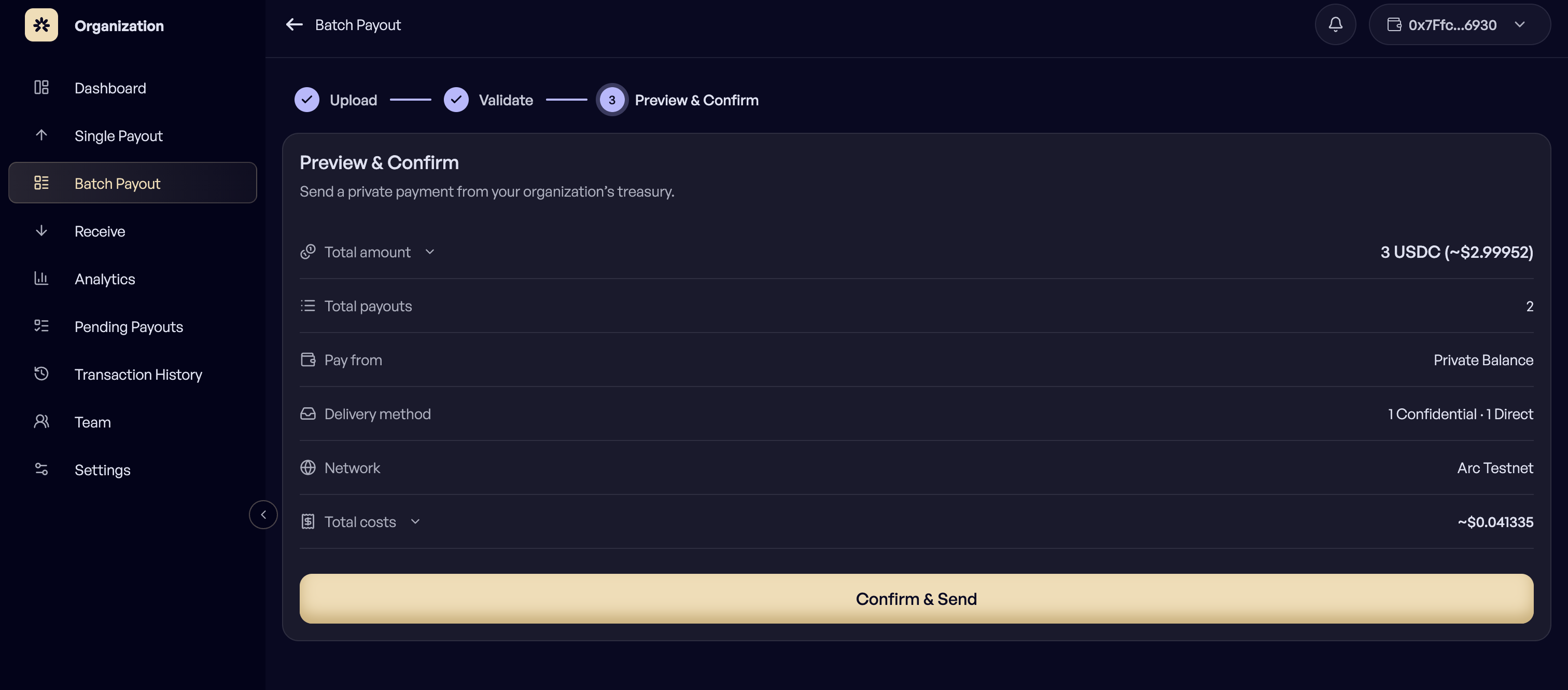
## Review the summary
Review the recipients, totals per token, and the Confidential and Direct split.
{% endstep %}
{% step %}
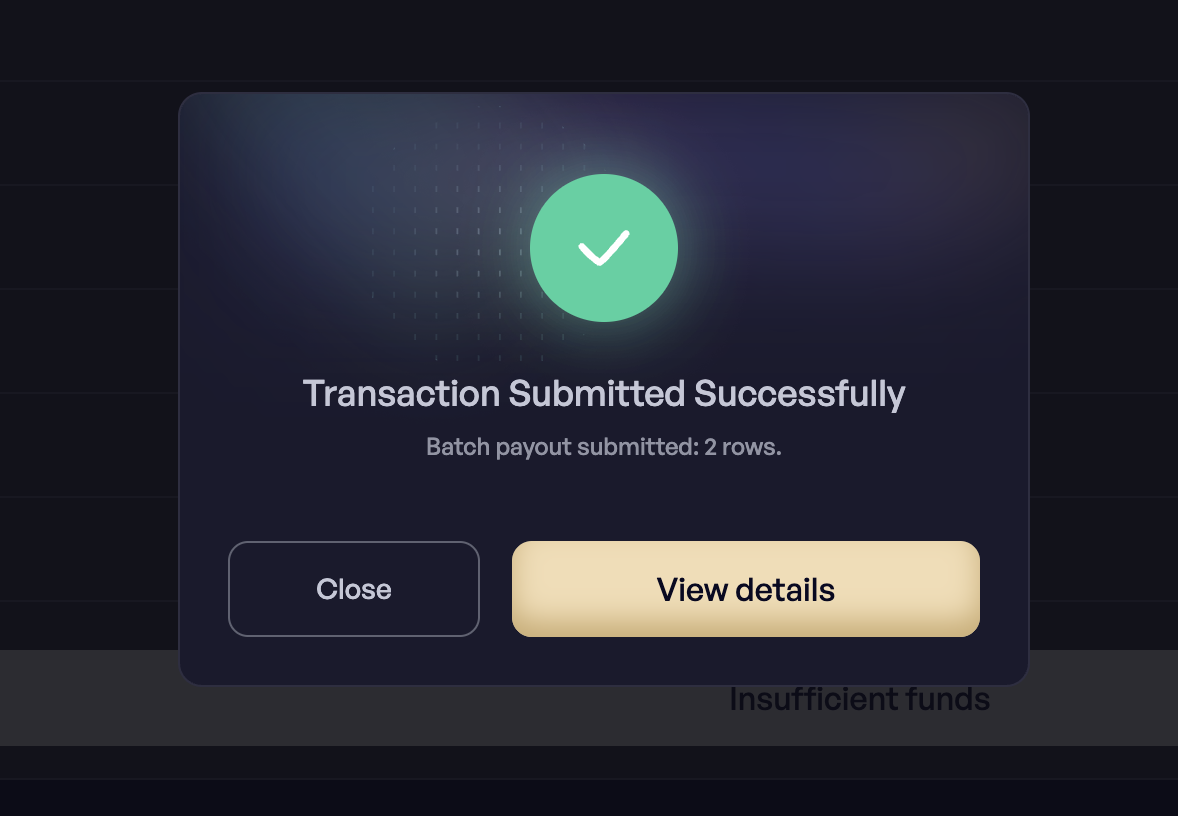
## Confirm
{% endstep %}
{% endstepper %}
### Validation
Every row is checked before anything is signed, and each row carries its own status, so a problem in row 214 does not block the rest of the run.
Issues caught at this step:
* An address that does not match the selected network
* An amount below the minimum
* A token symbol that is not recognized on that network
* A delivery value that is neither Confidential nor Direct
Uploading a corrected file clears the previous attempt.
***
### If you are a Member
The batch is saved to Pending Payouts as one payout containing every row. An Owner reviews the full list, approves it, and signs once for the batch.
***